
Introduction
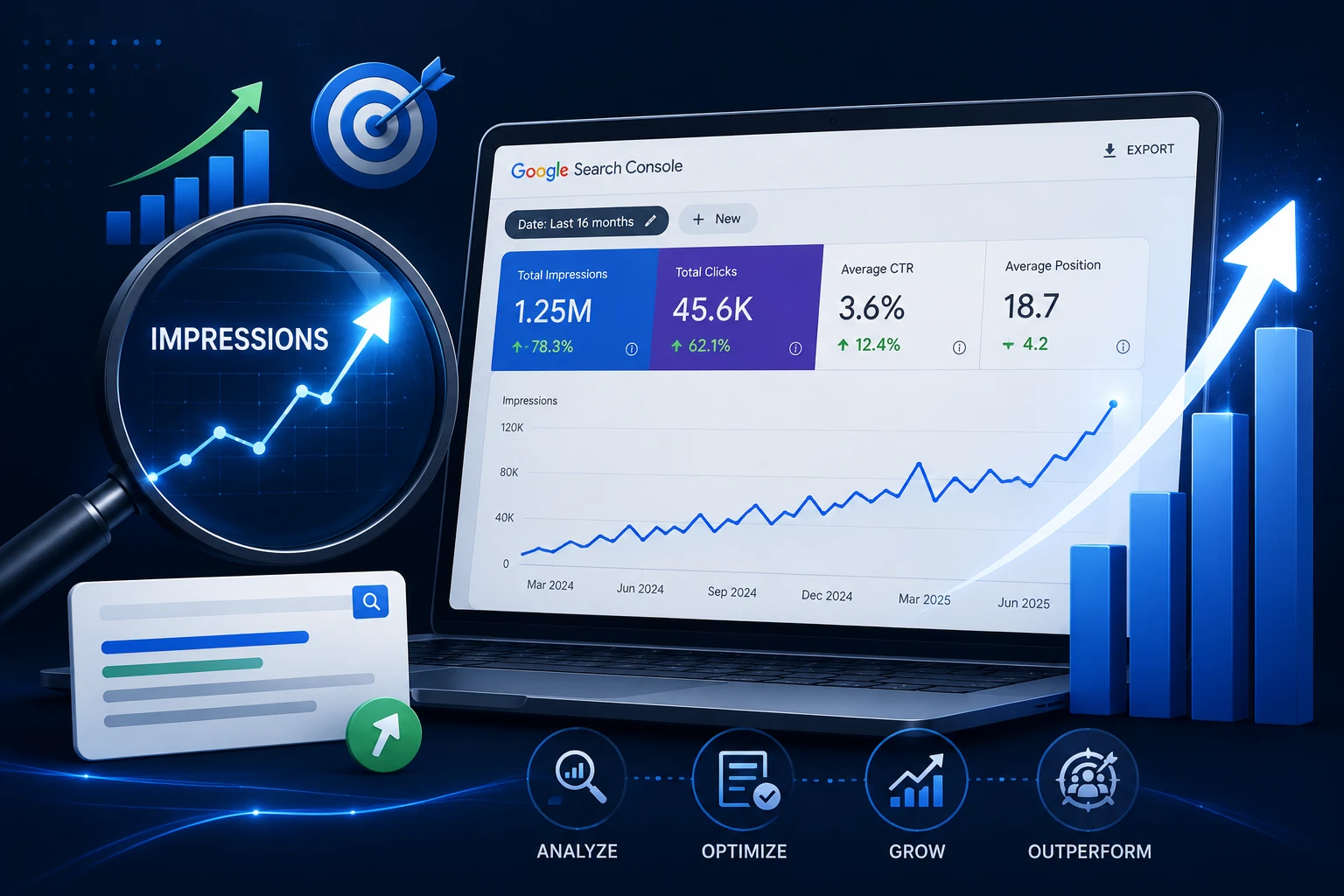
Impressions are the first metric in the SEO growth funnel. Before a page drives traffic, it must drive impressions — showing up in search results for the queries it targets. When impressions stagnate or decline, traffic follows 4–8 weeks later. When impressions grow, traffic growth is already in progress.
Most SEO teams track clicks and rankings. Impressions get less attention because they don’t directly represent traffic. But impressions are where SEO growth begins, and declining impressions are the earliest warning signal that a content, indexation, or ranking problem is developing before it becomes visible in traffic data.
In 2026, impressions have become more complex to interpret. Google confirmed a logging error that inflated GSC impression data from May 2025 onward. The fix was deployed in April 2026, causing impression counts to decrease across properties. Any year-over-year impression comparison crossing May 2025 should be treated as unreliable. Clicks remain the more stable metric — but impressions, correctly read and trended, remain the highest-value leading indicator for SEO growth strategy.
This guide covers what impressions actually measure, the four levers that increase them, and the GSC workflow to diagnose why they’re flat or declining. Before analyzing trends, follow a GSC Performance report guide to understand how to configure the report for accurate impression tracking. If you’re still deciding whether long-term organic growth is the right investment, read is SEO worth it to determine whether SEO ROI justifies the investment for your current business stage.
5 KEY TAKEAWAYS
- Impressions measure SERP appearance frequency — they are a leading indicator of SEO growth that precede traffic changes by 4–8 weeks.
- The four impression growth levers are: expanding query coverage through new content, improving rankings for existing queries, fixing indexation blockers, and implementing structured data for rich result appearances.
- Rising impressions with declining CTR is not an impression problem — it’s a packaging problem requiring title and meta rewrites, not new content.
- GSC impression data was inflated from May 2025 onward due to a confirmed logging error fixed in April 2026 — clicks are the more reliable metric for year-over-year comparisons crossing this period.
- 60% of searches in 2026 end without a click (Semrush 2025) — maximizing impression share for high-intent queries is now as strategically important as maximizing clicks.
What Impressions Actually Measure — and What They Don't
An impression is counted in GSC every time a link to your site appears on a search results page, whether or not the user scrolls to see it or clicks it. It’s a measure of SERP presence — how broadly Google is surfacing your content across queries.
Impressions exist in all result formats: standard blue-link results, featured snippets, People Also Ask entries, image results, video carousels, and rich results. Each format contributes to impression count but with different visibility and CTR implications. A page ranking in a featured snippet position generates more impressions per query than a standard result because it occupies more visual space — but it may also show lower CTR if the snippet satisfies the query without requiring a click.
The 2025–2026 Impression Data Issue
Impressions are structurally different from traffic. 60% of searches now end without a click (Semrush 2025) — users get their answer from the SERP directly via AI Overviews, featured snippets, or Knowledge Panels. Rising impressions on informational queries may never produce proportional traffic growth. For SEO growth tracking, always read impressions alongside CTR and query intent before concluding that impression growth equals business growth.
The Four Levers That Increase SEO Impressions
There are exactly four ways to increase the impressions a site receives from Google. Every tactic in this guide falls into one of these categories.
| Lever | Mechanism | Timeline | Best For |
|---|---|---|---|
| 1. Expand query coverage | Create content targeting new queries Google isn’t showing you for yet | 4–12 weeks | Sites with topical gaps; new content programs |
| 2. Improve rankings for existing queries | Move pages from positions 4–20 into positions 1–3 where impression count per query is highest | 4–8 weeks | Sites with established content; striking distance keywords |
| 3. Fix indexation blockers | Get pages out of ‘not indexed’ status so they can appear for any queries | Days to weeks | |
| 4. Add structured data | Unlock rich result formats (FAQ, HowTo, Review, Recipe) that generate additional impression appearances | 2–4 weeks after implementation | Sites with eligible content types not using schema |
The fastest impression gains come from Levers 3 and 4 — fixing indexation removes invisible blocks, and structured data unlocks additional SERP appearances for pages already ranking. Levers 1 and 2 produce larger long-term gains but require more time and investment. A balanced SEO growth strategy runs all four simultaneously, with prioritization based on which lever has the most addressable gap in your specific property.
Lever 1: Expand Query Coverage Through Topical Completeness
The fastest path to new impressions is ranking for queries your site doesn’t currently appear for. Every query your pages don’t rank for is an impression gap — a search that Google is resolving elsewhere because your site hasn’t earned relevance for it.
Find Topical Gaps Using GSC
In GSC Performance, look at the Queries tab and sort by impressions. The queries your site appears for are the ones Google has already associated with your content. The gaps are the semantically related queries that don’t appear in your list despite your site covering the parent topic.
- Filter by your top pages individually → Queries tab → look for clusters of related queries that appear at positions 15–30 with low impressions. These are proximity gaps — Google sees partial relevance but not strong enough to surface you prominently
- Compare your query list against the queries that top-ranking competitors rank for using Ahrefs or Semrush. Queries competitors rank for in your topic area that don’t appear in your GSC data at all are content gaps
- New queries appearing at positions 20–30 with even a handful of impressions are early signals that content on that topic exists and is being evaluated — strengthen the relevant page to accelerate the ranking improvement
Close Gaps with Topical Depth, Not New Pages
Most impression gaps are closed faster by expanding existing pages than creating new ones. A page already indexed and ranking for related queries has existing authority that new pages lack. Adding an H3 section targeting a specific gap query, a FAQ block targeting question-format variants, or a comparison section targeting ‘X vs Y’ queries within an existing page accelerates impression growth significantly faster than publishing a standalone new article.
- Identify the single page best positioned to rank for each gap query — add a targeted section directly to that page
- Add FAQ schema to question-format gap queries — FAQ structured data generates additional SERP appearances beyond the standard organic listing
- Internal link from high-authority pages to the expanded page using anchor text that reflects the gap query — signals topical relevance to Googlebot
Lever 2: Move Positions 4–20 Into Positions 1–3
- FROM this page → Low Hanging Keywords blog: In Lever 2 (Striking Distance), link ‘the complete low hanging keyword workflow using GSC’ → anchor: ‘low hanging keywords in GSC’
The Striking Distance Workflow
Pages ranking at positions 5–20 for valuable queries are the highest-ROI impression growth targets. The relevance signal already exists — Google just hasn’t promoted the page fully.
- In GSC Performance, filter for positions 5–20, sort by impressions descending. These are your striking distance opportunities. A structured process for identifying low-hanging keywords in GSC helps prioritize which pages can generate the fastest impressions and traffic gains.
- For each identified page: open in incognito, compare your content against the top 3 ranking pages. Identify subtopics covered by competitors that your page doesn’t include. Then apply a structured content refresh SEO guide to use GSC Compare data to find pages losing impressions and systematically recover visibility.
- Add the missing subtopics as H3 sections within the existing page. Update the title tag to more precisely match the primary query language using GSC’s Queries tab
- Add internal links from 2–3 high-authority indexed pages to the target page using keyword-relevant anchor text
- After publishing, request re-indexing via URL Inspection. Check GSC impressions for the page’s primary query at 28-day intervals
Lever 3: Fix Indexation Blockers
A page that isn’t indexed generates zero impressions — regardless of its content quality, backlinks, or optimization. Indexation failures are absolute impression blockers. Fixing them produces immediate impression recovery for the affected pages.
Diagnosing Indexation Gaps
- In GSC, go to Indexing → Pages. Check the ‘Not indexed’ count against your total published page count. A high not-indexed rate on content you intend to rank is an impression floor preventing SEO growth. Review pages not indexed by Google for every indexation blocker explained with fixes.
- Filter the Pages report by your XML sitemap. Any sitemap URL showing ‘Not indexed’ status is a confirmed gap between your intent and Google’s indexation decision
- ‘Crawled — currently not indexed’ means Google visited and quality-rejected the page — fix requires content depth improvement and E-E-A-T signals, not a technical change
- ‘Discovered — currently not indexed’ means Google found the URL but hasn’t crawled it — fix requires internal links from indexed pages to pass crawl priority
The Post-Indexation Impression Timeline
After a page is indexed, impressions don’t appear immediately. Google needs to evaluate the page, associate it with relevant queries, and assign it a provisional position. For an established domain, initial impressions for a newly indexed page typically appear within 2–4 weeks. For competitive queries, consistent impressions develop over 4–8 weeks as Google’s systems finalize the ranking position.
Track newly indexed pages weekly in GSC using the URL Inspection tool’s last crawl date and the Performance report’s page-level filter. Zero impressions 4 weeks after indexation on a non-competitive query is a signal that the page’s relevance signals are weak — revisit content depth and internal linking before waiting further.
Lever 4: Structured Data for Additional SERP Appearances
Structured data doesn’t directly improve rankings — but it unlocks additional SERP formats that generate impressions beyond the standard organic listing. A page with FAQ schema can appear as both a standard result and as a People Also Ask entry for the same query, effectively doubling its impression count without any ranking change.
Highest-Impression-Impact Schema Types
| Schema Type | Additional SERP Format | Eligibility Requirement | Impression Uplift |
|---|---|---|---|
| FAQ | People Also Ask entries | Page contains Q&A content with answers | Adds impressions for question-format query variants |
| HowTo | Step-by-step rich result | Page contains a step-by-step process | Appears for ‘how to’ query variants beyond standard result |
| Review / Rating | Star ratings in SERP snippet | Page has review or rating content | Higher visual prominence increases impression share |
| Speakable | Voice search and AI Overview citations | Page has clearly marked speakable content | Increases likelihood of AI system extraction and citation |
| LocalBusiness | Knowledge Panel and Maps features | Local business with complete entity data | Adds impressions for local and maps query variants |
After implementing schema, verify eligibility using Google’s Rich Results Test. Check GSC’s Search Appearance filter in the Performance report to confirm rich results are generating impressions. A page with valid FAQ schema showing no FAQ impressions in GSC’s Search Appearance filter likely has a markup rendering error — check the URL Inspection ‘View rendered HTML’ to confirm the schema is visible to Googlebot.
Reading Impression Trends Correctly in GSC
Impressions are only useful when read in context. Trend direction, the relationship with CTR, and query-level segmentation determine what an impression change actually means for SEO growth. Before rewriting titles or metadata, learn how to improve CTR using GSC using a three-type CTR diagnosis framework to identify whether the issue is intent mismatch, truncation, or SERP competition.
| Impression Pattern | What It Signals | Correct Response |
|---|---|---|
| Rising impressions + rising clicks | Healthy SEO growth — new queries and improved rankings both working | Continue current approach; maintain content freshness |
| Rising impressions + flat clicks | Ranking for more queries but CTR is weak — often informational queries with low click intent | Evaluate query intent; prioritize CTR optimization on transactional queries |
| Rising impressions + declining CTR | SERP suppression (AI Overviews, featured snippets absorbing clicks) or packaging problem | SERP check: if suppressed, optimize for AIO citation; if clean SERP, rewrite metadata |
| Flat impressions + declining clicks | Position decline on existing queries — losing impressions for specific query clusters | Use Compare function: identify which queries lost impressions; refresh content on affected pages |
| Sudden impression drop | Indexation issue, algorithm update, or manual action | Check Coverage report, GSC messages, and URL Inspection immediately |
Always use the Compare function in GSC before drawing conclusions from impression trends. The 28-day vs previous 28-day comparison surfaces the query-level changes driving aggregate movement — isolating whether impression shifts are broad (algorithm-level) or narrow (specific page or topic cluster). Broad impression changes require different responses than page-specific declines.
Conclusion
Impressions are where SEO growth begins. They’re the leading indicator that precedes traffic changes, the metric that reveals indexation failures before they compound, and the signal that confirms whether new content is being surfaced by Google at all. Teams that track clicks alone are reading the outcome of SEO decisions — not the leading indicators that enable better ones.
The four levers — expanding query coverage, improving positions for existing queries, fixing indexation blockers, and adding structured data — address every reason impressions are lower than they should be. Running them in parallel, prioritized by your property’s specific gap, is what produces compounding SEO growth rather than isolated incremental improvements.
In 2026, with 60% of searches ending without a click, impression growth on high-intent commercial queries matters more than ever. A page that earns impressions for the right queries — even without earning every click — builds the ranking signals that compound into sustained organic traffic over time. Track impressions weekly, compare monthly, and treat every decline as the early warning it is.
Frequently Asked Questions
What does 'increase impressions' mean in SEO?
Increasing impressions in SEO means getting your pages to appear in more Google search results — for more queries, in higher positions, or in additional result formats like rich snippets. In GSC, impressions measure how often a link to your site loads in a SERP, whether or not the user clicks it. Impressions are a leading indicator of SEO growth: they typically rise 4–8 weeks before traffic increases, making them a more timely signal than clicks or rankings alone.
Why are my GSC impressions not increasing?
Flat or declining impressions have four root causes: insufficient content coverage for the queries you want to rank for, existing pages ranking too low (positions 11–30) where impression volume is minimal, indexation failures preventing pages from appearing in results at all, or algorithm updates reducing your visibility for previously ranked queries. Use GSC’s Compare function (last 3 months vs previous 3 months) to identify whether impression stagnation is broad or tied to specific query clusters before applying a fix.
How long does it take to increase impressions after an SEO change?
Timeline depends on the type of change. Fixing an indexation error and requesting re-crawl can produce impression recovery within 2–4 weeks. Adding structured data that unlocks rich result formats typically shows in GSC within 2–4 weeks of Google processing the markup. Content updates to existing pages that improve relevance signals typically show impression changes within 4–8 weeks. New content published on an established domain generally takes 6–12 weeks to develop consistent impression volume as Google assigns stable rankings.
Is a high impression count in GSC a good sign?
It depends on the context. High impressions with strong clicks and good CTR is a healthy signal — your content is visible and compelling. High impressions with very low CTR (under 1.5%) may indicate SERP suppression from AI Overviews or featured snippets, or a packaging problem where the title and meta aren’t earning clicks. High impressions at positions 15–30 indicate Google sees your page as partially relevant but hasn’t promoted it — this is the striking distance opportunity that produces the fastest impression and click growth when optimized correctly.
How do structured data and schema markup increase impressions?
Structured data unlocks additional SERP result formats beyond the standard organic listing. A page with FAQ schema can appear as both a standard organic result and as a People Also Ask entry for the same query — effectively doubling its impression exposure without any ranking improvement. HowTo schema unlocks step-result formats. Review schema adds star ratings that increase visual prominence. Each additional SERP format a page is eligible for adds incremental impression volume. Verify eligibility with Google’s Rich Results Test and monitor the Search Appearance filter in GSC Performance to confirm impressions are being generated.